Try it · Lost Focus
Fast-forward the week.
Watch the board tidy itself.
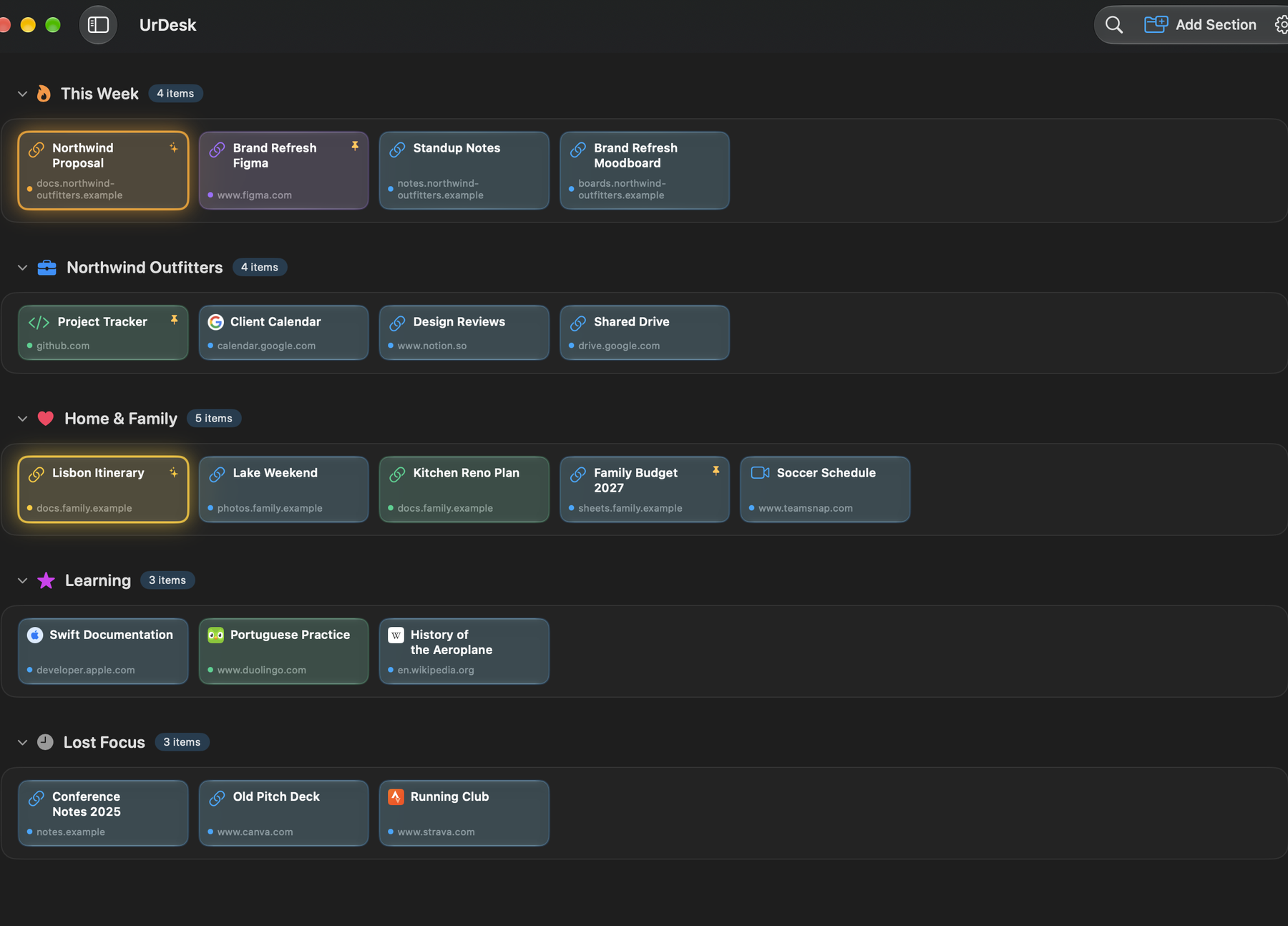
Press play, or drag the days forward. Cards you haven't opened in 10 days slip into Lost Focus. Glowing and pinned cards stay put. Click any card to open it, and it's back in play.
An example board. In the app, 10 days is the default, and you can change it, or switch Lost Focus off. Cards leave Lost Focus after a further 35 days.
Try it · ⌘K
Type three letters.
Land on the card.
Press ⌘K anywhere in UrDesk and type a few letters of a card's name, in order. "nwp" finds Northwind Proposal. "lis" finds Lisbon. Then open it, show it on the board, or Quick Look it.
This box uses the same matching rules as the app: letters in order, with word starts and runs of letters ranked first.
Watch
Real recordings. Real app.
No mock-ups here. These are screen recordings of UrDesk running on a Mac, with a made-up board.
Right-click a card and choose Glow. It lifts out of the board, joins the Glowing list in the sidebar and the menu bar, and Lost Focus leaves it alone.
At home on your Mac
Light, dark, or navy at night.
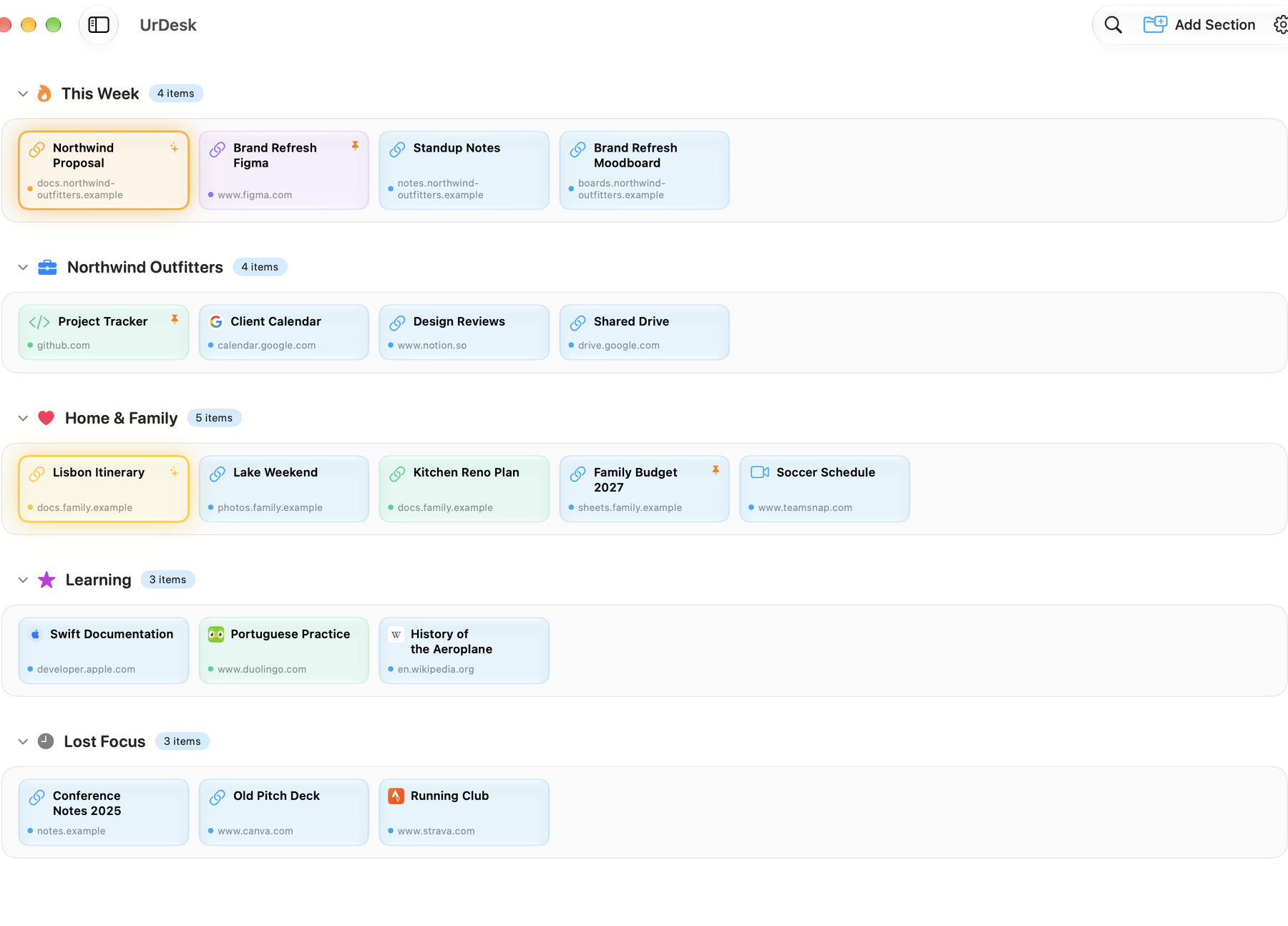
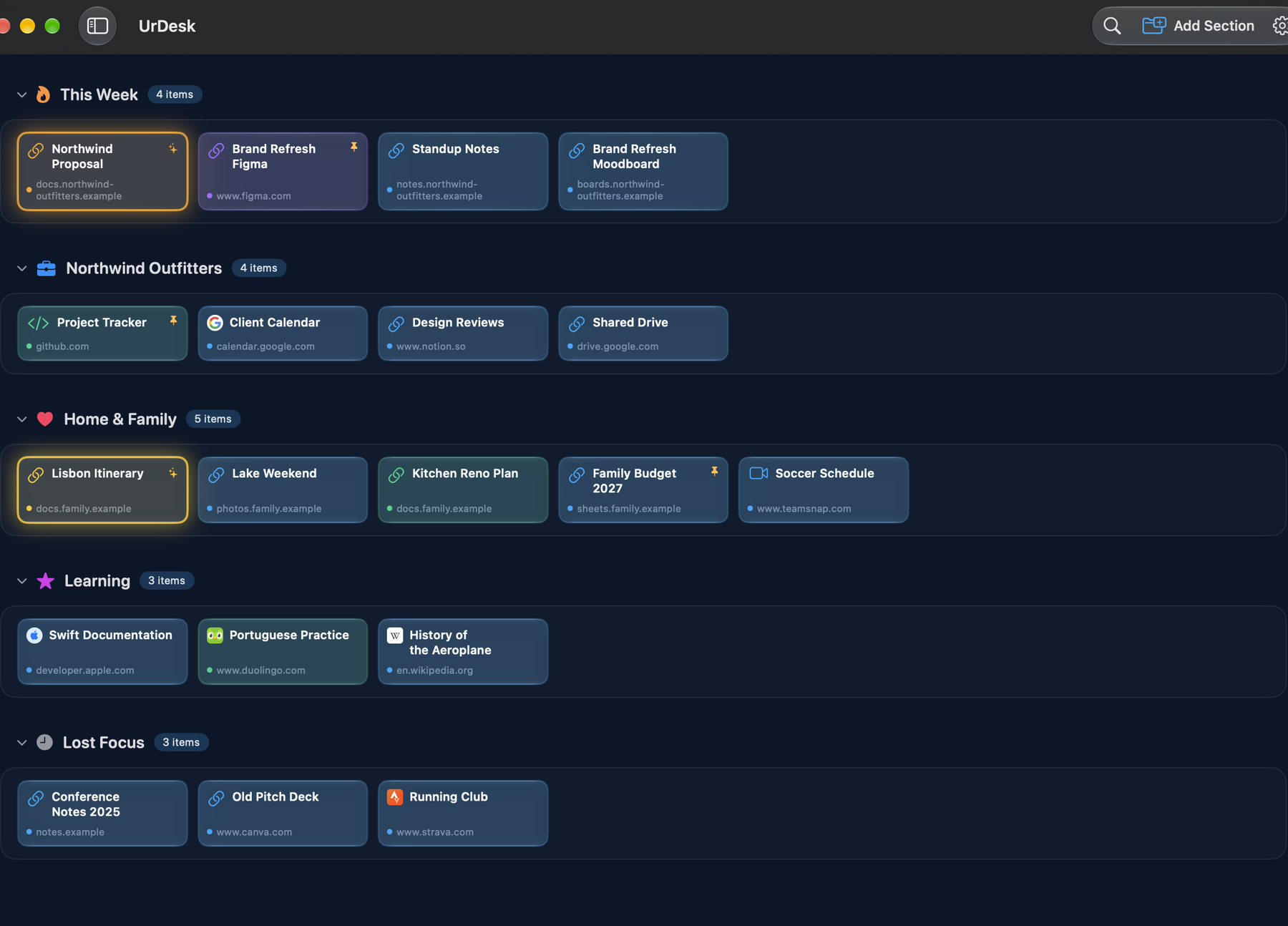
Liquid Glass cards, four card sizes from Tiny to Large, color tags, and an optional sidebar that lists what's glowing, what's pinned and every section.
Features
Made for staying on task.
Glow and pin
Make the two or three things that matter today glow, and pin the ones that should always be there.
Lost Focus
Untouched cards move to a Lost Focus section after 10 days and leave after another 35. Pinned and glowing cards never move. Change the timing, or switch it off.
Find anything with ⌘K
Type a few letters to open a card, show it on the board, or Quick Look it, wherever it is.
Real previews
Files show what they are and links show their site's icon and page title, so you know what's behind a card at a glance.
Menu bar and widget
Glowing and pinned cards are a click away from the menu bar, and from a desktop widget in three sizes.
Shortcuts
Open a card, add a link, or list what's glowing with the Shortcuts app.
Undo everything
Removed, moved or sorted something by mistake? ⌘Z puts it back. Removing a card never touches the file or link behind it.
Daily backups
A dated backup on the first launch of each day, and before any import. Export a copy whenever you like.
Keyboard and VoiceOver
Move around the board with the keyboard, press Space to Quick Look, and hear clear VoiceOver labels on every card.
Ideas
A desk for whatever you’re working on.
Sections are yours to name. A few ways people might set up a board:
The freelancer
- This Week
- One section per client
- Invoices & contracts
The student
- Due soon
- One section per class
- Reading list
The family organizer
- Trips
- House projects
- School & sports
The developer
- On call
- Repos & pull requests
- Docs
Examples only.
Privacy
Your board stays on your Mac.
There's no account, no analytics and no tracking. The only time UrDesk goes online is to fetch a linked site's icon and title, and you can switch that off.
- No accountOpen it and start. Nothing to sign up for.
- No analyticsUrDesk doesn't count what you do.
- Files stay where they areCards point to your files; they never move, copy or upload them.
- Previews you controlTurn off link previews and UrDesk never contacts the sites on your board.
FAQ
Questions, answered.
Does UrDesk move or change my files?
No. A card is a shortcut to a file or link. Removing a card, or a card moving to Lost Focus, never touches the file itself.
What happens to a card in Lost Focus?
It sits in a collapsed Lost Focus section at the bottom of the board. Open it, Quick Look it or move it to a section and it's back in play. If you leave it alone for a further 35 days, the card is removed. The file behind it is never affected.
Can I change the timing, or turn Lost Focus off?
Yes. Settings lets you choose how many days of rest send a card to Lost Focus, how long it stays there, or switch it off completely.
Which Macs does it run on?
Any Mac running macOS 26 or later.
Is my board backed up?
UrDesk takes a dated backup the first time you open it each day, and before any import. You can export a copy, or restore one, from Settings.
How do I get it?
UrDesk is in testing now. Request early access and we'll let you know when it's ready.
Take the controls.
UrDesk is in testing now. Ask for early access and we'll send it over when it's ready.
Request early accessQuestions first? See Support or write to support@sms-apps.com.